1XBET DOWNLOAD, How to Enter Promo Code XPUMP the Easy Way
· based on the channel Боря Тучков
Download the 1xBet app from the official source, open the account area, find the promo code field, type XPUMP exactly as written, then submit and confirm the code stuck. The whole job takes a couple of minutes, and the XPUMP promo code page is where the bonus terms and the current offer are laid out before you register.
Most people who fail at this step fail for a boring reason: a typo, a stray space, or an old app build that hides the field. Below is the full process, the usual snags, and what to check when the app pretends nothing happened.
What the 1XBET DOWNLOAD promo code XPUMP actually does
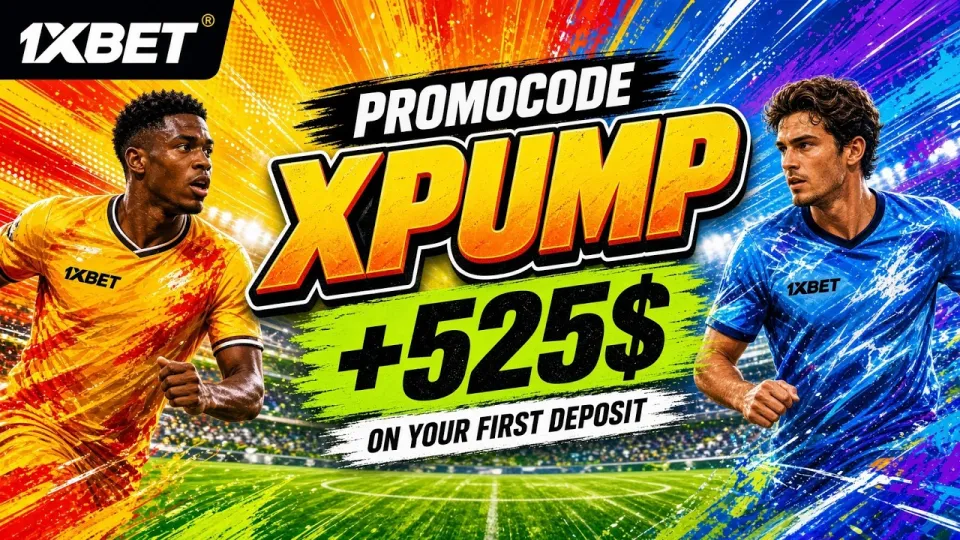
The code XPUMP is a registration promo code: it is tied to your first deposit, and the offer referenced alongside it is a bonus of up to +525$ on that first deposit. That means the code is not a coupon you redeem later in the betting slip — it belongs to the account creation and first-payment stage.
Three things follow from that:
- Enter the code before or during registration, not after you have already deposited.
- The bonus applies to the first deposit only, so the amount you top up the first time matters.
- The exact conditions — minimum deposit, wagering requirements, eligible markets — are set by the operator and shown on screen and in the bonus rules, not by the code itself.
A promo code is a text string, nothing more. It does not install anything, it does not unlock hidden features, and it cannot be applied retroactively to an account that was created without it. If you already have an account and skipped the field, the code will not attach to it later.
How to download the 1xBet app safely
Get the app only from the official 1xBet website or the official app store listing for your platform — random mirror sites and third-party APK portals are the main source of fake builds.
- Open the official 1xBet site and go to the mobile apps section.
- Pick your platform: Android APK, iOS, or the mobile web version if you prefer not to install anything.
- On Android, allow installation from the browser you used, since the APK is installed outside the store.
- On iOS, use the store listing or the instructions on the site if the app is not available in your region's store.
- After installation, open the app once and let it finish its first launch and any update prompts.
Two practical checks: the file size and version number on the download page should match what your device reports after installation, and the app should ask you to log in or register — not to enter payment details before you have an account.
Step-by-step: entering XPUMP in the app
Entering the code is a short sequence, but the order matters: the field must be filled before you confirm registration or make the first deposit.
- Open the app and go to registration (or the account/profile area if you are already signed up but have not deposited).
- Look for a field labelled promo code, bonus code, or promotional code. It usually sits near the sign-up form or in the profile/coupon section.
- Type XPUMP exactly — five capital letters, no spaces, no punctuation, no extra characters copied along with it.
- Re-read the field character by character before submitting.
- Confirm or save, then check whether the app shows a confirmation message.
- Complete registration and make your first deposit within the offer's conditions.
If your app has a copy button next to the field, use it — manual retyping is where most errors creep in. If you paste from a note, check that your keyboard did not add a trailing space.
Why the promo code field is missing or the code is rejected
A missing field is usually a placement issue, not a bug: the promo code box only exists where the app offers one, so it may be inside the registration form rather than in settings, or in the coupon area rather than on the deposit screen.
Common causes of rejection, in rough order of frequency:
- Typo or wrong case. XPUMP is five letters; XPUMP with a zero instead of O, or lowercase input, can fail.
- Hidden whitespace. A copied string with a leading or trailing space is treated as a different code.
- Outdated build. Older app versions can hide or break parts of the interface, including the promo field.
- Wrong stage. The code is entered at registration or before the first deposit; after that, the field may be gone or inactive.
- Region restrictions. Some offers are limited to certain countries, and the app may simply not display the field where the promotion does not apply.
Before assuming the worst, update the app, close it fully, reopen it, and try again in a fresh session.
What to do when the app seems to accept the code silently
Some screens show a small confirmation, others accept the code without any visible message — so verification has to be manual.
After submitting XPUMP, back out of the form and return to it: if the field is now prefilled or marked as applied, the code stuck. Then check the bonus or promotions section of your account to see whether the offer is listed as active or pending your first deposit. If nothing shows up anywhere, close the app, reopen it, and repeat the entry once. If it still fails, contact support and describe exactly what you entered and at which step — that is faster than guessing.
Keep the app updated afterwards. Interface changes between versions are the usual reason a field that worked last month suddenly seems to have moved.
Typical questions from viewers
The questions that come up most often around this code are about timing, eligibility, and what happens if the first attempt fails.
- Can the code be added after registration? Generally no — the promo code belongs to the sign-up and first-deposit stage, which is why the field disappears once the account is funded.
- Does the code guarantee a payout? No. It affects the bonus on the first deposit; the wagering conditions still have to be met before any bonus funds become withdrawable.
- Does it work on desktop? The same field exists in the web account flow, but its position differs from the app, so look in the registration form rather than in the settings.
- Is a mirror site safe for downloading? Only the official source is; unofficial mirrors are the standard vector for fake builds.
Conclusion
Downloading the app is the easy part; the promo code is where most people stumble, and almost always over a typo, a stale build, or entering it at the wrong stage. Type XPUMP exactly, submit it before your first deposit, then verify in the promotions section that it actually attached to the account. The video breakdown by channel Боря Тучков walks through the same sequence screen by screen, which helps if your app layout looks different from the description here. When you are ready, grab the offer through the XPUMP promo code link and read the bonus terms before you deposit.
Key takeaways
- The promo code is entered as five characters with no spaces: XPUMP.
- The field appears in the sign-up flow or the profile/coupon area, not on every screen.
- A typo or wrong letter case is the most common reason a promo code is rejected.
- Closing and reopening the app in a fresh session fixes most silent acceptances.
- Outdated app builds can hide or break the promo code field, so keep the app updated.
Source: 1XBET DOWNLOAD: How to Enter a Promo Code XPUMP the Easy Way · Markdown version
Questions & answers
Where exactly is the promo code field in the 1xBet app?
It is normally part of the registration form, or in the profile and coupon area depending on the app version and your region. If you cannot see it on the deposit screen, go back to the registration flow — that is where the code is designed to be entered.
Can I enter XPUMP after I have already registered and deposited?
As a rule, no. The code is tied to account creation and the first deposit, so once the account is funded the field may be inactive or absent. If you registered without a code, contact support and ask whether any manual application is possible in your case.
Why does the app say the code is invalid when I typed it correctly?
Check for a trailing space, a lowercase letter, or a zero typed instead of the letter O. Also make sure the app is updated to the current build and that the offer is available in your country, since regional restrictions can make the field reject or hide the code.
What does the XPUMP code give me on my first deposit?
The offer referenced with the code is a bonus of up to +525$ on the first deposit. The exact percentage, minimum deposit, and wagering requirements are set by the operator and shown in the bonus terms, so read those before topping up.